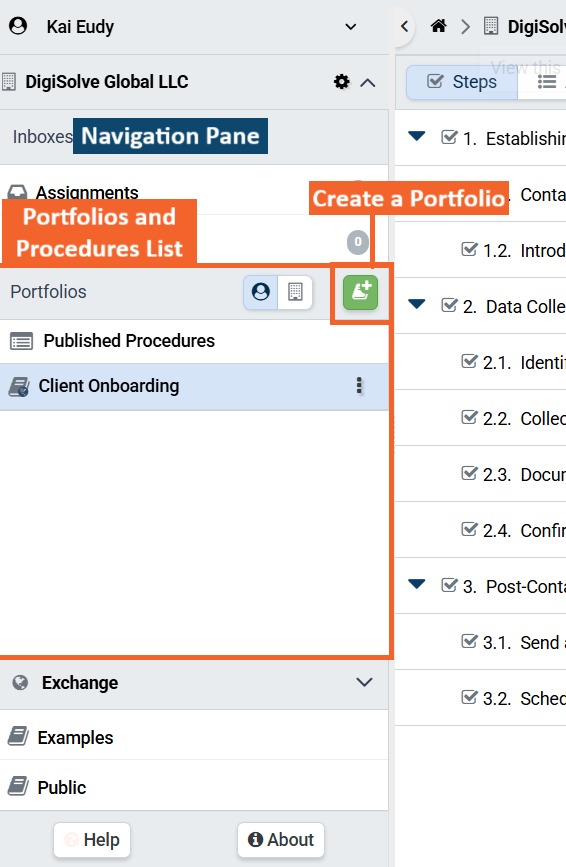
- Press the Create Portfolio (+) button in the Portfolios header in an Organization panel in the Navigation pane.
- Enter a descriptive name for your Portfolio
Portfolios should have concise, descriptive, and unique names indicating the type of Procedures the Portfolio contains or the Members for whom the Procedures are intended.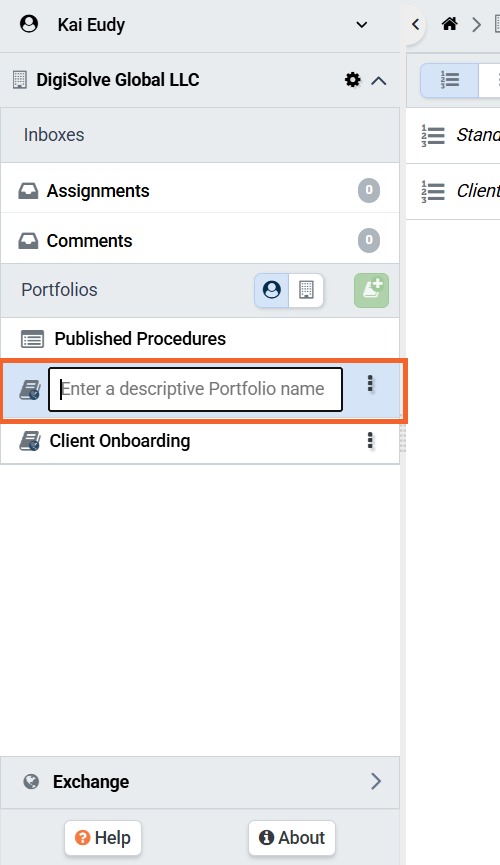
Related Articles
Overview
Step-by-Step
